Make the change visible
Focus attention on the new interaction and the outcome it enables.
Solutions · Product updates
Turn each release into a focused product experience. DemoFast helps product and customer teams explain new workflows with clickable guides that are faster to update than traditional video.
Overview
Release communication often stops at a feature name, a screenshot, and a list of improvements. That tells customers something exists but leaves them to translate the announcement into their own workflow. The adoption gap remains.
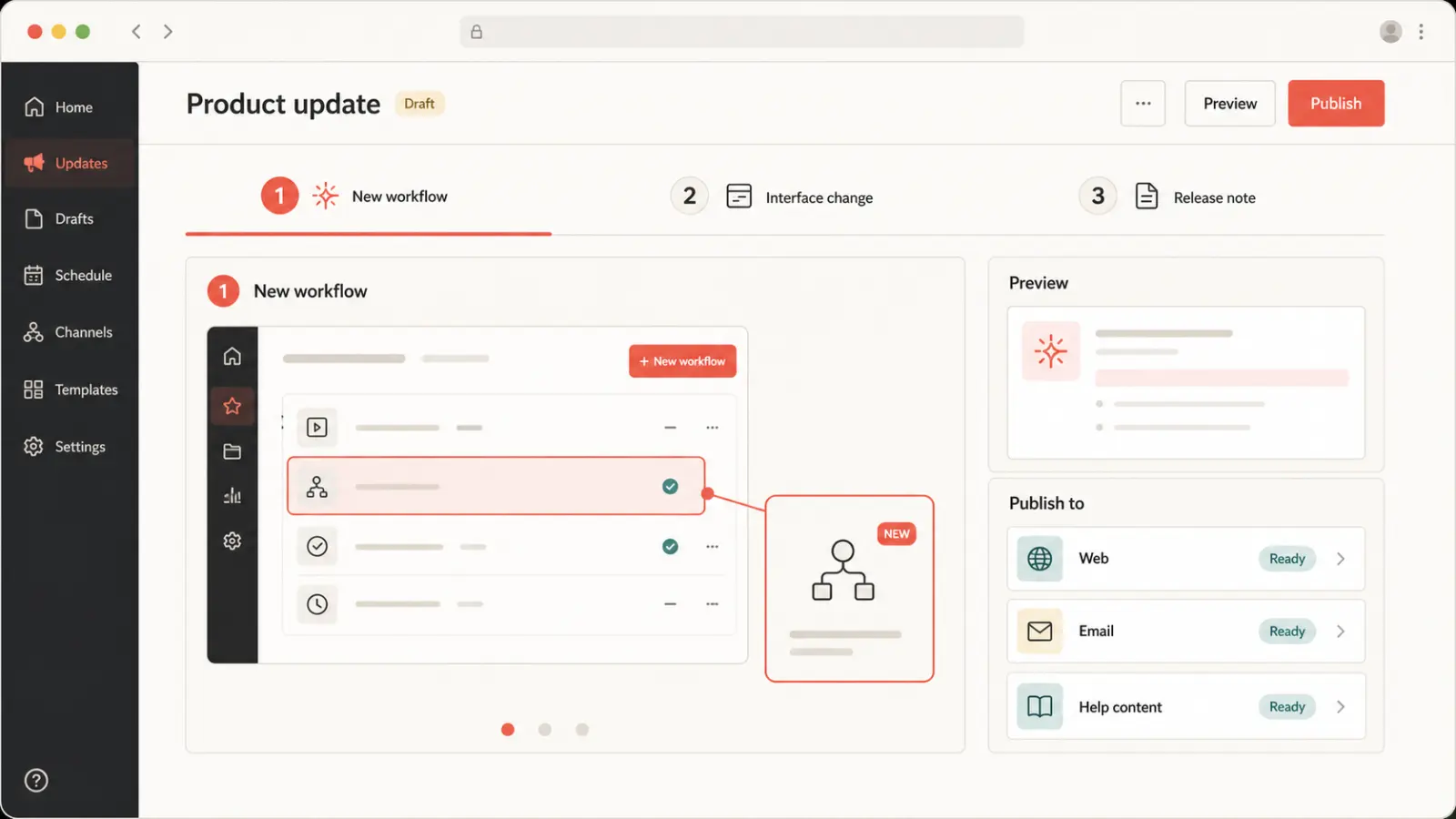
A DemoFast product update shows the changed path in context. Customers can advance through the new experience, understand why the change matters, and continue to documentation, setup, or the product itself. The same core walkthrough can support the launch page, email, social preview, help center, and success outreach.
Why it matters
Focus attention on the new interaction and the outcome it enables.
Capture and annotate the workflow without waiting for a full video production cycle.
Use an interactive embed where possible and export short visual versions for email and social.
Product preview
The video runtime loads only after you choose to play, keeping the initial page light.

Practical fit
Place the updated workflow beside the announcement and adoption CTA.
Add a concise walkthrough for customers who want more than a static changelog entry.
Use a linked preview to bring relevant customers into the full demo or documentation.
Give account teams a reusable explanation for new capabilities and changed processes.
How it works
Choose the behavior customers should understand or complete after seeing the update.
Show the changed interaction, explain the value, and link prerequisites or detailed documentation.
Use the full embed for education and a shorter export or link for announcement channels.
Publishing checklist
Publishing is the beginning of the asset’s working life. Use this checklist to keep the product story focused, accessible, fast, measurable, and maintainable everywhere it appears.
Define who should use this interactive product update demo experience, the product moment they need to understand, and the one action that should follow. Remove any step that does not advance that job.
Tell viewers what they will learn before asking them to click. The first screen should establish relevance quickly and show enough of the product to earn the next interaction.
Explain audience fit, use cases, tradeoffs, and next steps in accessible HTML around the demo. The page must remain understandable when a player cannot load or a visitor uses assistive technology.
Reserve explicit player dimensions, serve an optimized WebP preview, and initialize interactive or video code only after a click or near-viewport signal. Do not make every embedded asset compete with LCP.
Assign responsibility for product accuracy, links, analytics, and republishing. Review important commercial demos after major UI changes and on a regular content-maintenance cadence.
Measurement plan
A interactive product update demo asset should have a specific job in the customer journey. Record its audience, traffic source, intended product moment, and next action before publishing. That context prevents raw view counts from being mistaken for progress and makes later edits easier to prioritize.
Track whether viewers advance to the screen where the promised value becomes clear. A high start rate with early abandonment usually signals a mismatch between the page promise, opening screen, or amount of guidance.
Measure completion by audience and placement, then review the specific step where people leave. Compare meaningful cohorts rather than combining homepage visitors, sales prospects, customers, and internal reviewers into one average.
Connect the demo to one proportionate next step—start free, request a deeper demo, reply to a rep, read implementation guidance, or try the workflow. Review quality and downstream outcomes alongside clicks.
Decision guide
A launch demo should not carry every implementation detail. Show the value and the critical new path, then link to documentation for edge cases, permissions, migration, and configuration. This keeps the interactive story focused without hiding important operational information.
For a large release, create multiple short demos by role or use case and connect them from a launch hub. That structure helps customers find the relevant change and gives search engines descriptive content around each product workflow.
Questions
Use it on launch pages, release notes, help content, lifecycle email destinations, community posts, and customer-success resources.
Yes. Use GIF or WebM video export for channels that cannot host the interactive version, then link to the full walkthrough.
Show one adoption outcome in the fewest useful steps. Split major releases into role- or use-case-specific flows.
Update the affected steps and republish so existing links and embeds continue to support the current story.
Continue exploring