Show the right flow
Build a short demo around the buyer’s job instead of leading with a broad feature inventory.
Solutions · Sales demos
Give every prospect a focused product experience they can explore, revisit, and share. DemoFast turns the strongest part of your sales demo into an always-ready leave-behind without relying on a live account.
Overview
A strong live demo creates clarity in the meeting. The problem begins afterward: the prospect remembers only part of the workflow, the champion must repeat the story to other stakeholders, and the next call may be days away. A generic recording rarely answers the questions that mattered in the conversation.
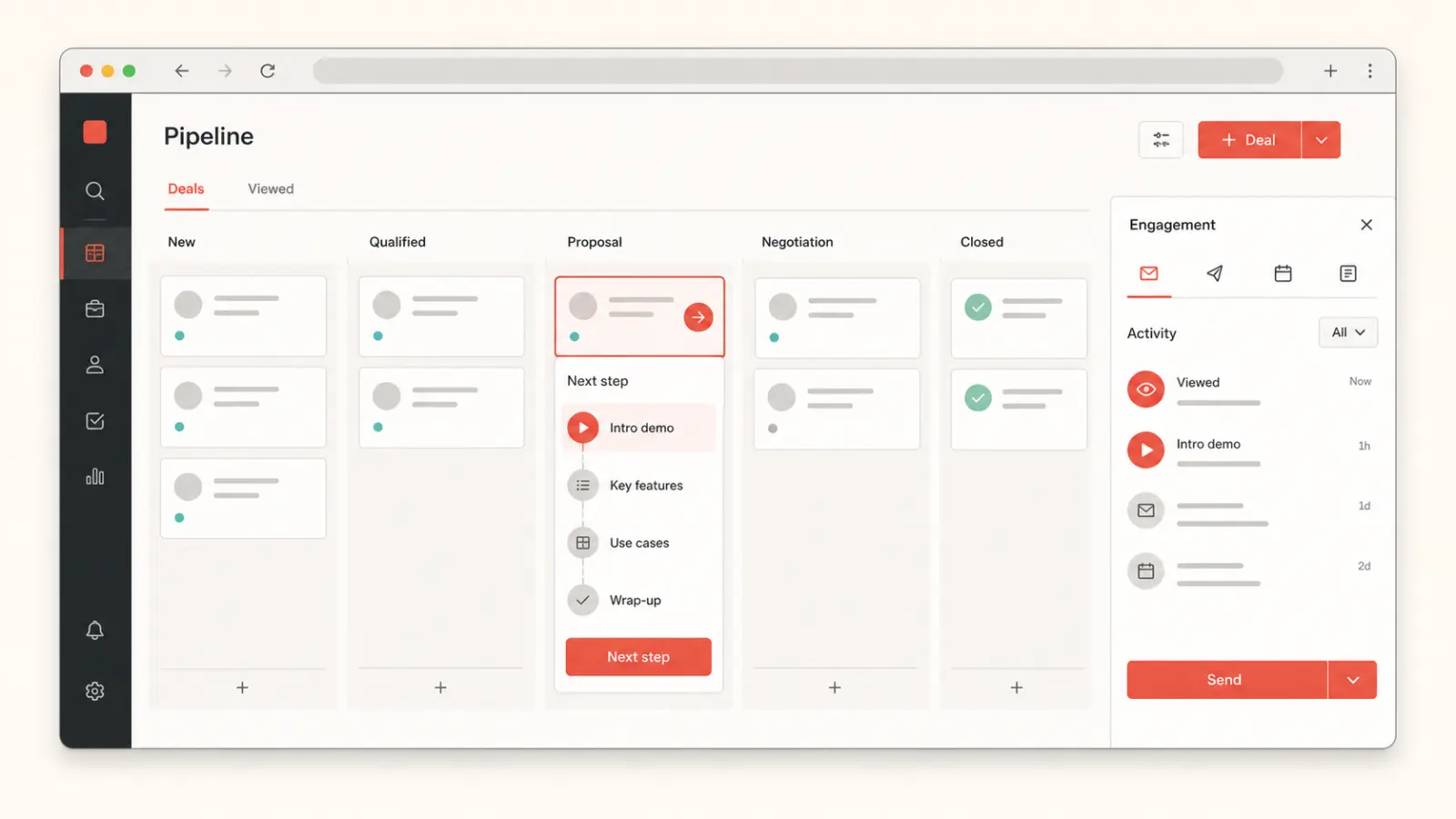
DemoFast lets a rep or enablement team capture a concise workflow for the use case, add the context a buyer needs, and share it as a trackable interactive link. The buyer controls the pace, the champion has something concrete to forward, and the sales team can reuse a proven story without preparing a fragile demo environment every time.
Why it matters
Build a short demo around the buyer’s job instead of leading with a broad feature inventory.
Give internal advocates a self-explanatory asset they can share without recreating your pitch.
Use views and step progression to understand whether the follow-up was explored.
Product preview
The video runtime loads only after you choose to play, keeping the initial page light.

Customer proof

FeatureShark uses DemoFast for how-to walkthroughs and sales outreach. Tanmay, Founder, reported increased engagement from that work.
Read the FeatureShark storyPractical fit
Send a short overview before the meeting so live time can focus on fit, questions, and deeper workflows.
Pair a concise message with a product flow tailored to the pain point named in the outreach.
Capture the workflow that earned interest and make it easy to revisit after the meeting.
Package the product story so a buyer can explain it to finance, security, leadership, and end users.
How it works
Start with the problem and product moment that moved the conversation forward.
Record the flow, remove distractions, and adapt the opening and annotations to the account or segment.
Send the link with a clear reason to explore and use engagement as context for the next touch.
Publishing checklist
Publishing is the beginning of the asset’s working life. Use this checklist to keep the product story focused, accessible, fast, measurable, and maintainable everywhere it appears.
Define who should use this interactive sales demo software experience, the product moment they need to understand, and the one action that should follow. Remove any step that does not advance that job.
Tell viewers what they will learn before asking them to click. The first screen should establish relevance quickly and show enough of the product to earn the next interaction.
Explain audience fit, use cases, tradeoffs, and next steps in accessible HTML around the demo. The page must remain understandable when a player cannot load or a visitor uses assistive technology.
Reserve explicit player dimensions, serve an optimized WebP preview, and initialize interactive or video code only after a click or near-viewport signal. Do not make every embedded asset compete with LCP.
Assign responsibility for product accuracy, links, analytics, and republishing. Review important commercial demos after major UI changes and on a regular content-maintenance cadence.
Measurement plan
A interactive sales demo software asset should have a specific job in the customer journey. Record its audience, traffic source, intended product moment, and next action before publishing. That context prevents raw view counts from being mistaken for progress and makes later edits easier to prioritize.
Track whether viewers advance to the screen where the promised value becomes clear. A high start rate with early abandonment usually signals a mismatch between the page promise, opening screen, or amount of guidance.
Measure completion by audience and placement, then review the specific step where people leave. Compare meaningful cohorts rather than combining homepage visitors, sales prospects, customers, and internal reviewers into one average.
Connect the demo to one proportionate next step—start free, request a deeper demo, reply to a rep, read implementation guidance, or try the workflow. Review quality and downstream outcomes alongside clicks.
Decision guide
Use an interactive sales demo when the buyer needs a reliable, self-guided explanation that can travel through the account. Unlike a video, it lets the prospect control the pace. Unlike a live environment, it cannot be derailed by a broken integration, messy data, or the wrong permissions.
Keep live demos for discovery-led conversations, open-ended evaluation, and technical proof. Keep video for presenter-led narrative or asynchronous context. The strongest sales motion uses each format deliberately: interactive for repeatable education, live for conversation, and a sandbox or trial for hands-on validation.
Questions
Use it before a call to establish context, after a call to reinforce the key workflow, or during a multi-threaded deal to help the champion share the story.
No. It removes repetitive explanation and protects follow-up; complex discovery and technical validation still benefit from live conversation.
Teams can adapt the demo copy and flow to the account or segment while reusing the core product story.
Lead with the buyer’s outcome, show only the steps required to reach it, explain the visible value, and end with one clear next action.