Examples · Onboarding demos
Turn workspace setup into three calm actions
A setup walkthrough that separates workspace details, team invitations, and data connection into a sequence new users can revisit.
Interactive walkthrough
Illustrative exampleUse the Previous and Next buttons, activate the hotspot, or press the left and right arrow keys to move through this three-step illustrative example.
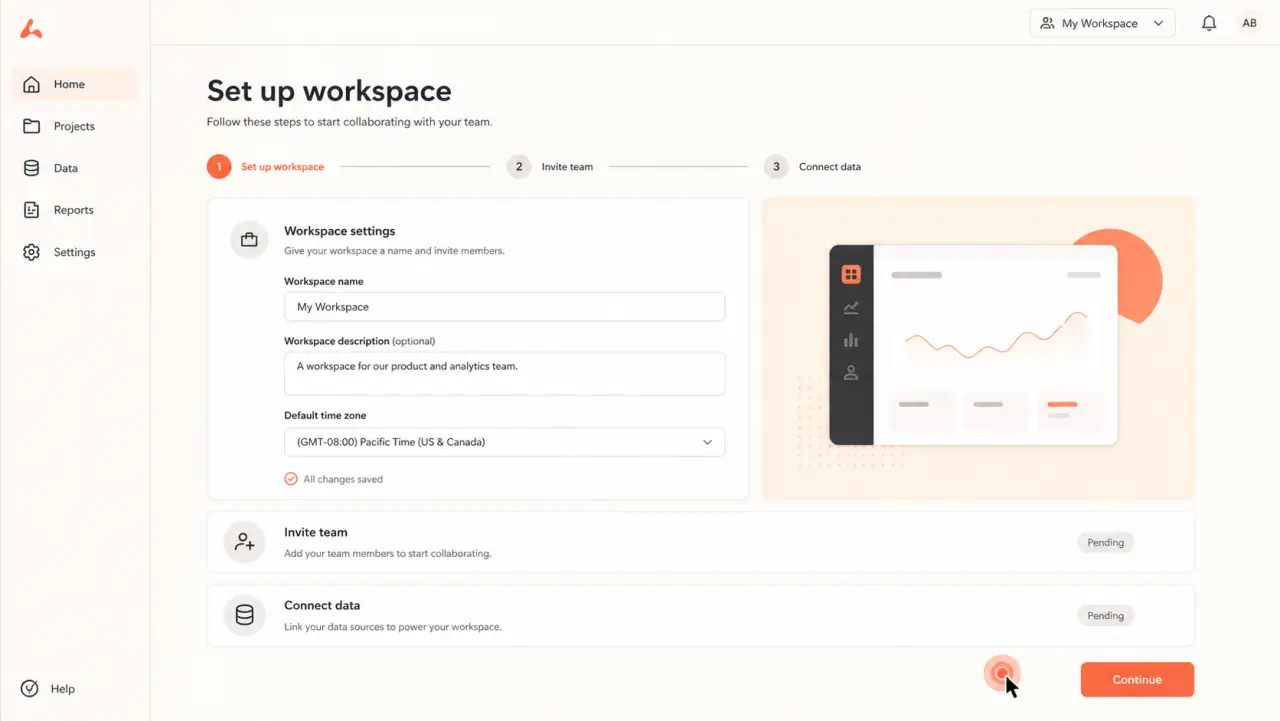
Step 1 of 3
Current step
Name the workspace
Begin with the smallest required setup task and explain which details can be changed later.
Three-step walkthrough
-
Name the workspace
Begin with the smallest required setup task and explain which details can be changed later.
-
Invite the team
Move to the collaboration step only after the workspace context is clear.
-
Continue to data
Close with the next setup milestone and a clear handoff to deeper implementation guidance.
Why it works
Keep the experience tied to one useful outcome
- 01Each step asks for one action and preserves the larger setup sequence.
- 02Users can return to the walkthrough without scheduling another implementation call.
- 03The final handoff makes it clear where product-specific configuration begins.
DemoFast features used
A lightweight build, not a simulated integration
Text annotations
Zoom area
Website embed
Implementation guidance
Build the real version from approved product screens
- 01
Record the shortest path to first value for one customer role.
- 02
Call out prerequisites before the user reaches a blocked screen.
- 03
Embed the walkthrough beside written setup notes and support contact options.
Customer proof

Product walkthroughs that supported increased engagement.
FeatureShark uses DemoFast for how-to walkthroughs and sales outreach. Tanmay, Founder, reported increased engagement from that work.
Read the FeatureShark story